Day 19 – break and continue in Python
🚀 Passionate DevOps Engineer with expertise in cloud computing, CI/CD, and automation. Skilled in Linux, Docker, Kubernetes, Terraform, Ansible, and Jenkins. I specialize in building scalable, secure, and automated infrastructures, optimizing software delivery pipelines, and integrating DevSecOps practices. Always exploring new ways to enhance deployment workflows and bridge the gap between development and operations.
Welcome to Day 19 of 100 Days of Python! 🐍
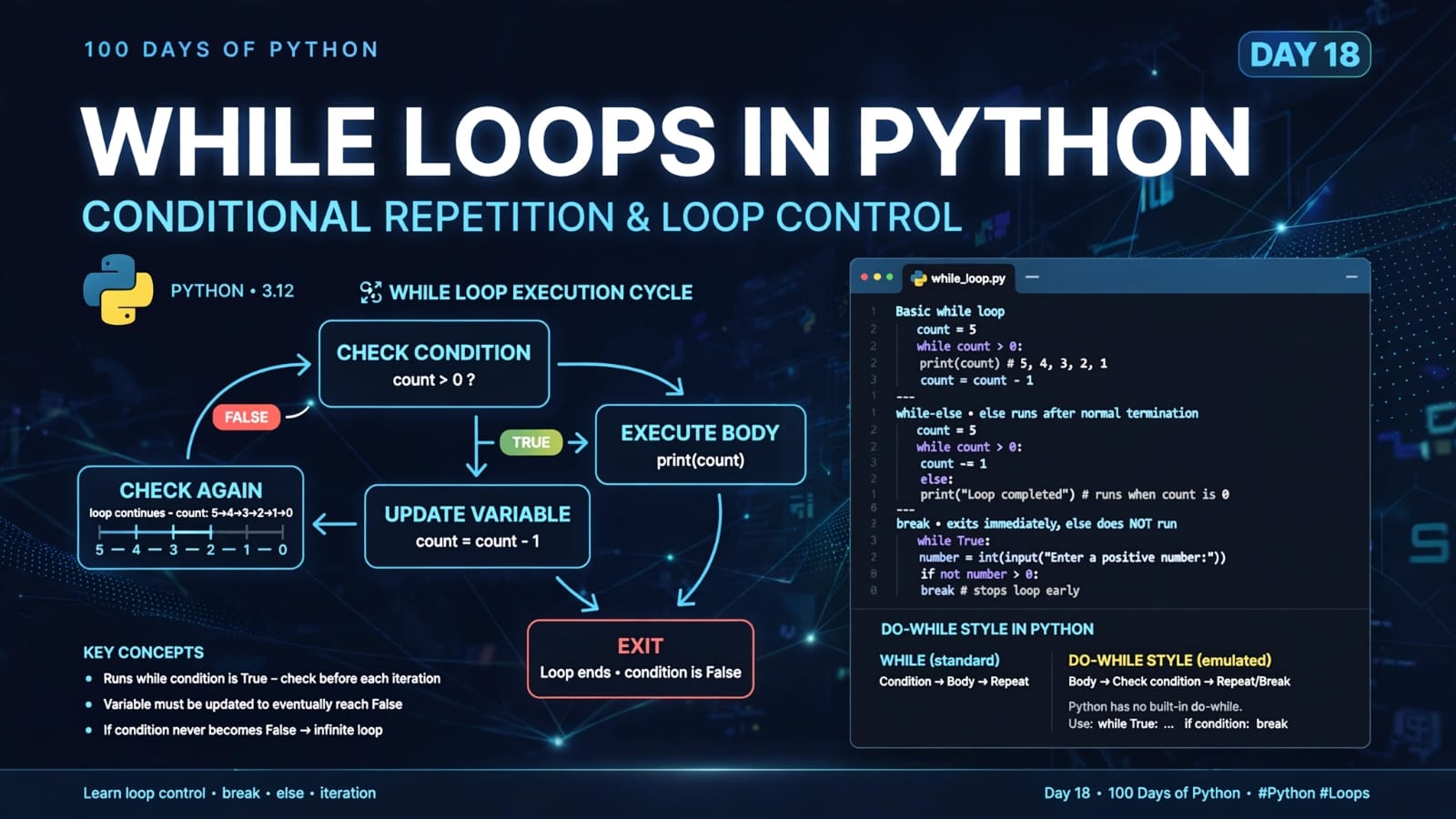
In the previous lesson, we learned about while loops and how loops can repeatedly execute code based on a condition.
Today, we are going one step further and learning how to control the execution of a loop from inside the loop itself.
Python provides two important statements for this:
breakcontinue
Although both affect loop execution, they do completely different things.
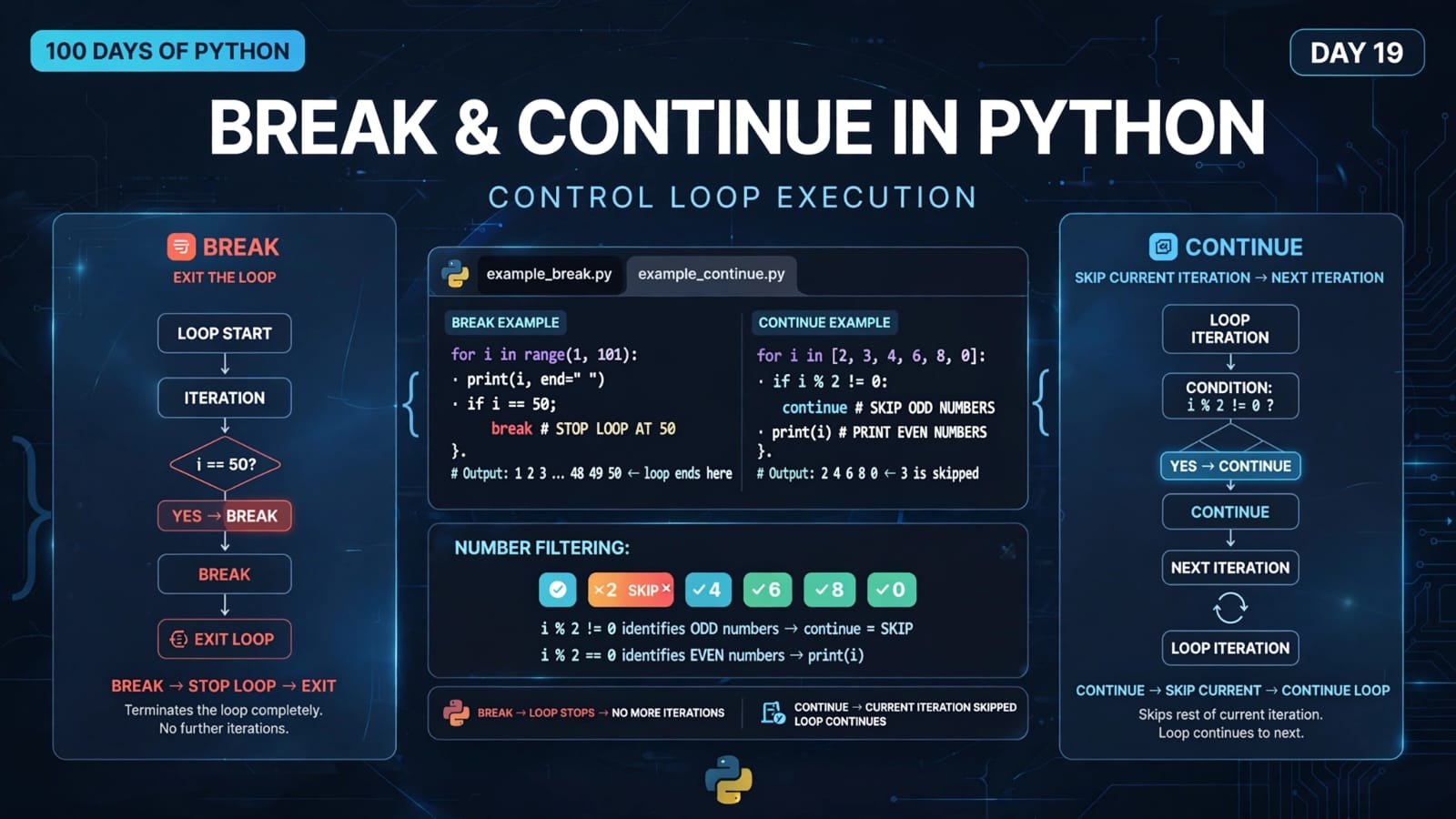
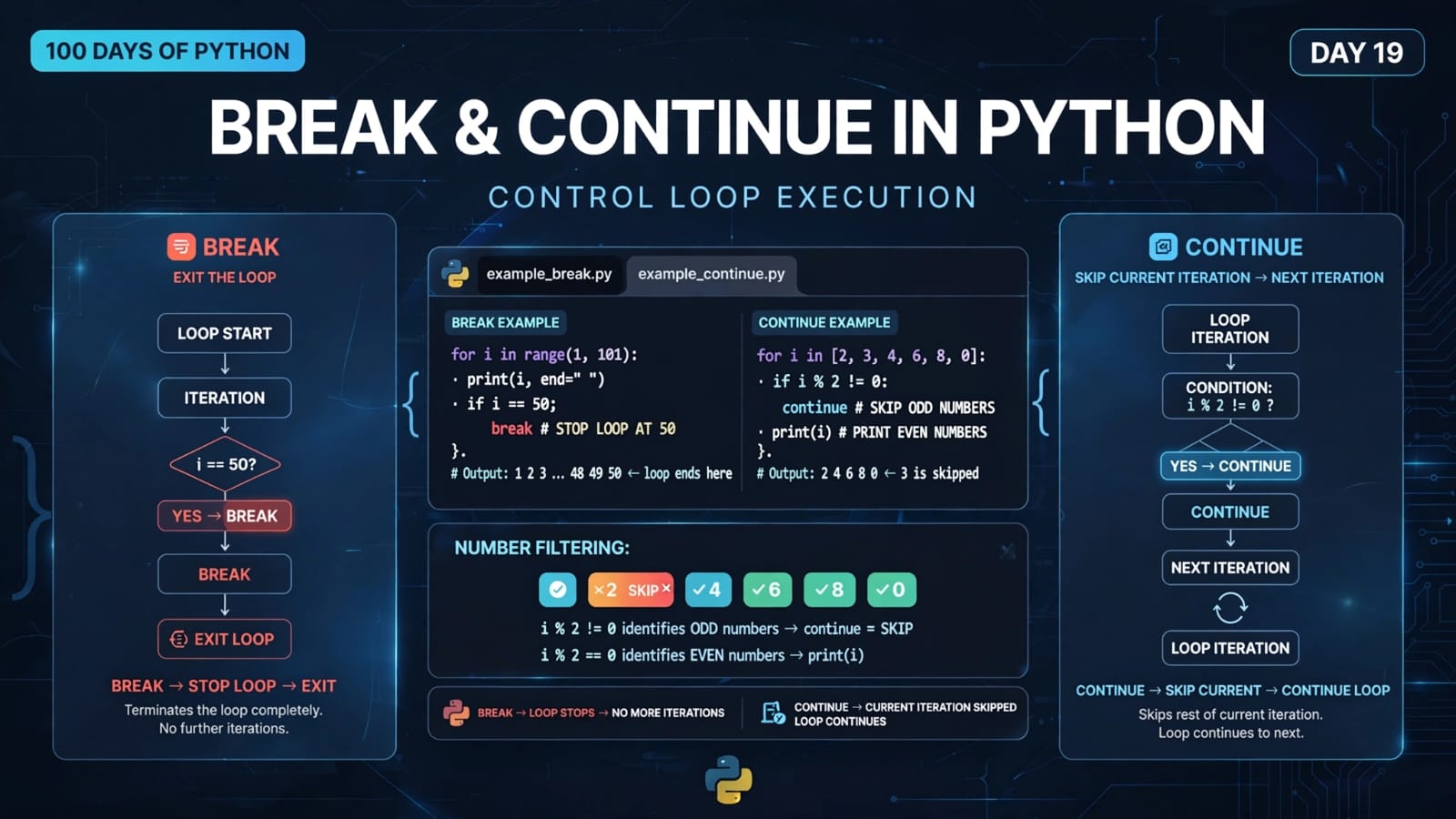
breakterminates the loop completely.continueskips the current iteration and moves to the next iteration.
Understanding the difference between these two statements is extremely important because they are frequently used in real-world programs.
📚 What We Will Learn
What is the
breakstatement?How
breakworksbreakwith aforloopUnderstanding the Day 19
breakexampleWhat is the
continuestatement?How
continueworksUsing
continueto skip unwanted valuesbreakvscontinueComplete Day 19 program
Common mistakes
Important concepts at a glance
Quick revision
Key takeaways
1. What is the break Statement?
The break statement is used to immediately terminate the loop in which it appears.
When Python encounters break:
break
the current loop stops immediately.
Program execution then continues with the statement after the loop.
Basic structure
for item in iterable:
    if condition:
        break
The same concept works with while loops:
while condition:
    if another_condition:
        break
2. How Does break Work?
Consider this simple example:
for i in range(1, 11):
    if i == 5:
        break
    print(i)
Output:
1
2
3
4
When i becomes 5, this condition becomes true:
i == 5
Python executes:
break
The loop terminates immediately.
The values 6, 7, 8, 9, and 10 are never processed.
Control flow
Start loop
    ↓
Get next value
    ↓
Check condition
    ↓
Is i == 5?
  ↙       ↘
Yes       No
 ↓         ↓
break    execute body
 ↓         ↓
Exit     next iteration
loop
3. break Terminates Only the Current Loop
The break statement terminates the nearest enclosing loop in which it occurs.
For example:
for i in range(10):
    if i == 5:
        break

print("Loop finished")
When i == 5, the loop stops.
Then Python continues with:
print("Loop finished")
So break does not terminate the entire Python program.
It terminates the loop containing it.
4. Understanding the Day 19 break Example
The first program in main.py is:
for i in range(1, 101, 1):
    print(i, end=" ")

    if i == 50:
        break
    else:
        print("Mississippi")

print("Thank you")
Let's understand it carefully.
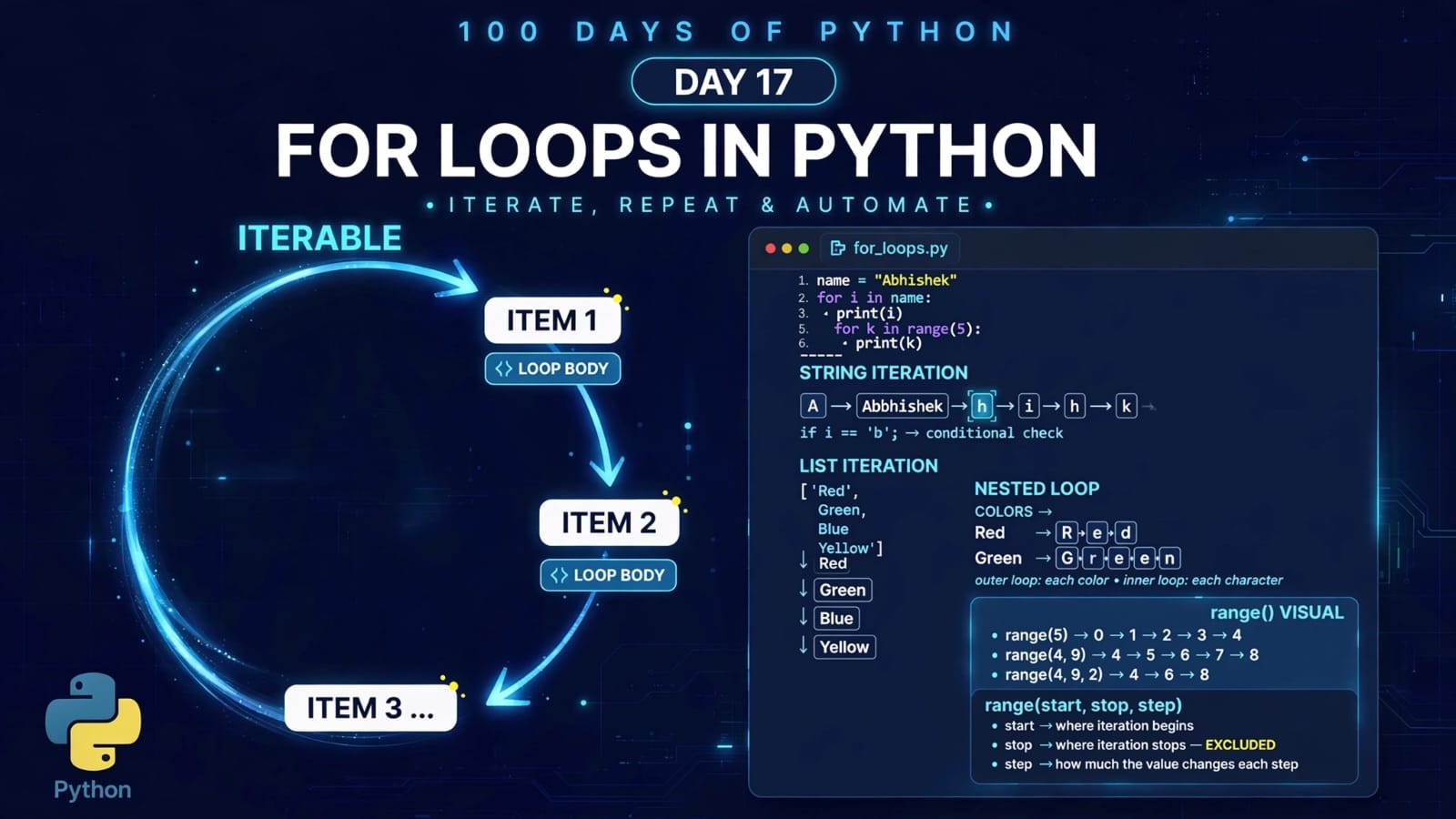
5. Understanding range(1, 101, 1)
The loop uses:
range(1, 101, 1)
The syntax is:
range(start, stop, step)
Therefore:
start = 1
stop = 101
step = 1
Remember:
The
stopvalue is exclusive.
So:
range(1, 101, 1)
produces:
1, 2, 3, ..., 99, 100
The loop could theoretically reach 100, but the break statement stops it earlier.
6. Understanding print(i, end=" ")
The program contains:
print(i, end=" ")
Normally:
print(i)
moves to the next line after printing.
But:
print(i, end=" ")
tells Python to end the output with a space instead of a newline.
Therefore, the numbers appear on the same line:
1 2 3 4 5 ...
7. When Does the Loop Stop?
Inside the loop:
if i == 50:
    break
When:
i = 50
the condition:
i == 50
becomes True.
Python immediately executes:
break
and exits the loop.
Therefore, the loop does not continue to:
51
52
53
...
100
8. Important Detail: Why Isn't Mississippi Printed for 50?
The code is:
if i == 50:
    break
else:
    print("Mississippi")
For values from 1 to 49, the condition:
i == 50
is false.
Therefore, the else block executes:
1 Mississippi
2 Mississippi
3 Mississippi
...
49 Mississippi
But when:
i = 50
the condition is true.
Python executes:
break
and immediately leaves the loop.
Therefore, Mississippi is not printed for 50.
So the effective output ends with:
...
49 Mississippi
50
Thank you
The tutorial's displayed output showing:
50 Mississippi
does not match the actual code.
This is an important example of why we should always trace the actual execution of a program rather than relying only on a written output example.
9. What Happens After break?
After:
break
Python exits the loop.
The next statement is:
print("Thank you")
Therefore:
Thank you
is printed after the loop.
The complete logical flow is:
1 → print
2 → print
3 → print
...
49 → print
50 → print → break
             ↓
        exit loop
             ↓
       print Thank you
10. What is the continue Statement?
The continue statement does something very different from break.
continue does not terminate the loop.
Instead:
continueskips the remaining statements in the current iteration and starts the next iteration.
Basic structure:
for item in iterable:
    if condition:
        continue

    # remaining code
Think of it as:
"Skip this one and move on."
11. break vs continue
This is the most important distinction of today's lesson.
break
STOP THE LOOP
continue
SKIP THIS ITERATION
AND CONTINUE THE LOOP
For example:
for i in range(1, 6):
    if i == 3:
        break
    print(i)
Output:
1
2
The entire loop stops when i == 3.
Now compare:
for i in range(1, 6):
    if i == 3:
        continue
    print(i)
Output:
1
2
4
5
Here, only the iteration for 3 is skipped.
The loop continues afterward.
12. Understanding the Day 19 continue Example
The second program is:
for i in [2, 3, 4, 6, 8, 0]:
    if i % 2 != 0:
        continue

    print(i)
The goal is to print only the even numbers.
Let's understand why.
13. Understanding the Modulo Operator %
The % operator returns the remainder after division.
For example:
4 % 2
gives:
0
because 4 divides evenly by 2.
But:
3 % 2
gives:
1
because 3 divided by 2 leaves a remainder of 1.
Therefore:
Even number
number % 2 == 0
Odd number
number % 2 != 0
14. Understanding if i % 2 != 0
The code says:
if i % 2 != 0:
    continue
This means:
If the number is odd, skip the rest of this iteration.
Let's trace the list:
[2, 3, 4, 6, 8, 0]
i = 2
2 % 2 = 0
Therefore:
0 != 0 → False
continue does not execute.
So:
print(i)
runs.
Output:
2
i = 3
3 % 2 = 1
Therefore:
1 != 0 → True
Python executes:
continue
So print(i) is skipped.
Nothing is printed for 3.
i = 4
4 % 2 = 0
The condition is false.
Therefore:
4
is printed.
Remaining values
The same logic applies:
6 → even → print
8 → even → print
0 → even → print
Therefore the final output is:
2
4
6
8
0
15. Visualizing continue
The flow looks like this:
Get next value
      ↓
Check condition
      ↓
Is number odd?
   ↙        ↘
 Yes        No
  ↓          ↓
continue   print number
  ↓          ↓
Next       Next
iteration  iteration
The important part is that continue jumps directly to the next iteration.
It does not exit the loop.
16. Complete Day 19 Program
Here is the complete main.py:
for i in range(1, 101, 1):
    print(i, end=" ")

    if i == 50:
        break
    else:
        print("Mississippi")

print("Thank you")


for i in [2, 3, 4, 6, 8, 0]:
    if i % 2 != 0:
        continue

    print(i)
This program demonstrates both major loop-control statements:
break     → terminate the loop
continue  → skip current iteration
17. Real-World Use Cases
break and continue are not just tutorial concepts. They are useful in real programs.
Using break
You might use break when:
Searching for an item and stopping once it is found
Processing user input until a special value is entered
Waiting for a valid stopping condition
Exiting a menu loop
Stopping a search once the required result is found
Example:
numbers = [10, 20, 30, 40, 50]

for number in numbers:
    if number == 30:
        print("Found!")
        break
Once 30 is found, there is no reason to keep searching.
Using continue
You might use continue when:
Skipping invalid input
Ignoring unwanted values
Processing only specific types of data
Skipping empty records
Filtering values during iteration
Example:
numbers = [1, 2, 3, 4, 5]

for number in numbers:
    if number % 2 != 0:
        continue

    print(number)
This processes only even numbers.
18. Common Mistakes
Mistake 1: Thinking continue stops the loop
This is incorrect.
continue
does not terminate the loop.
It only skips the current iteration.
Mistake 2: Thinking break skips one iteration
This is also incorrect.
break
terminates the loop completely.
Mistake 3: Putting important code after continue
Consider:
for i in range(5):
    if i == 2:
        continue

    print("Value:", i)
When i == 2, Python never reaches:
print("Value:", i)
because continue immediately moves to the next iteration.
19. break vs continue – Quick Comparison
| Statement | What it does | Loop continues? |
|---|---|---|
break |
Terminates the current loop | ❌ No |
continue |
Skips the current iteration | ✅ Yes |
break |
Moves execution outside the loop | ❌ No |
continue |
Moves to the next iteration | ✅ Yes |
Easy memory trick
Remember:
break= Break out of the loop
continue= Continue to the next iteration
20. Important Concepts at a Glance
| Concept | Meaning |
|---|---|
break |
Immediately exits the current loop |
continue |
Skips the current iteration |
range() |
Generates a sequence of numbers |
% |
Returns the remainder of division |
i % 2 == 0 |
Checks whether i is even |
i % 2 != 0 |
Checks whether i is odd |
end=" " |
Prints a space instead of a newline |
for loop |
Iterates over an iterable |
| Current iteration | The iteration currently being executed |
21. Quick Revision
break
for i in range(10):
    if i == 5:
        break

    print(i)
Stops the entire loop at 5.
continue
for i in range(10):
    if i == 5:
        continue

    print(i)
Skips 5 but continues with 6, 7, 8, and 9.
Even-number filtering
for i in numbers:
    if i % 2 != 0:
        continue

    print(i)
Only even numbers are processed.
22. Key Takeaways
breakis used to terminate a loop immediately.continueis used to skip the current iteration.breakmoves execution outside the loop.continuemoves execution to the next iteration.A
breakcan be used with bothforandwhileloops.A
continuecan also be used with bothforandwhileloops.The
%operator is useful for identifying even and odd numbers.i % 2 == 0identifies an even number.i % 2 != 0identifies an odd number.In today's first example,
Mississippiis printed for1–49, but not for50, becausebreakexecutes before theelseblock.breakandcontinuegive us fine-grained control over loop execution.
Today we learned two powerful loop-control statements:
break     → Stop the loop
continue  → Skip this iteration
These may look simple, but they become extremely useful when building programs that need to search, filter, validate, skip, or terminate repeated operations intelligently.
📂 Day 19 Resources
https://github.com/SriteshSuranjan/100-Days-of-Python/tree/main/19-Day19-break-and-continue