Day 18 – While Loops in Python
🚀 Passionate DevOps Engineer with expertise in cloud computing, CI/CD, and automation. Skilled in Linux, Docker, Kubernetes, Terraform, Ansible, and Jenkins. I specialize in building scalable, secure, and automated infrastructures, optimizing software delivery pipelines, and integrating DevSecOps practices. Always exploring new ways to enhance deployment workflows and bridge the gap between development and operations.
Welcome to Day 18 of 100 Days of Python! 🐍
Today, we are learning about while loops — one of the fundamental looping mechanisms in Python.
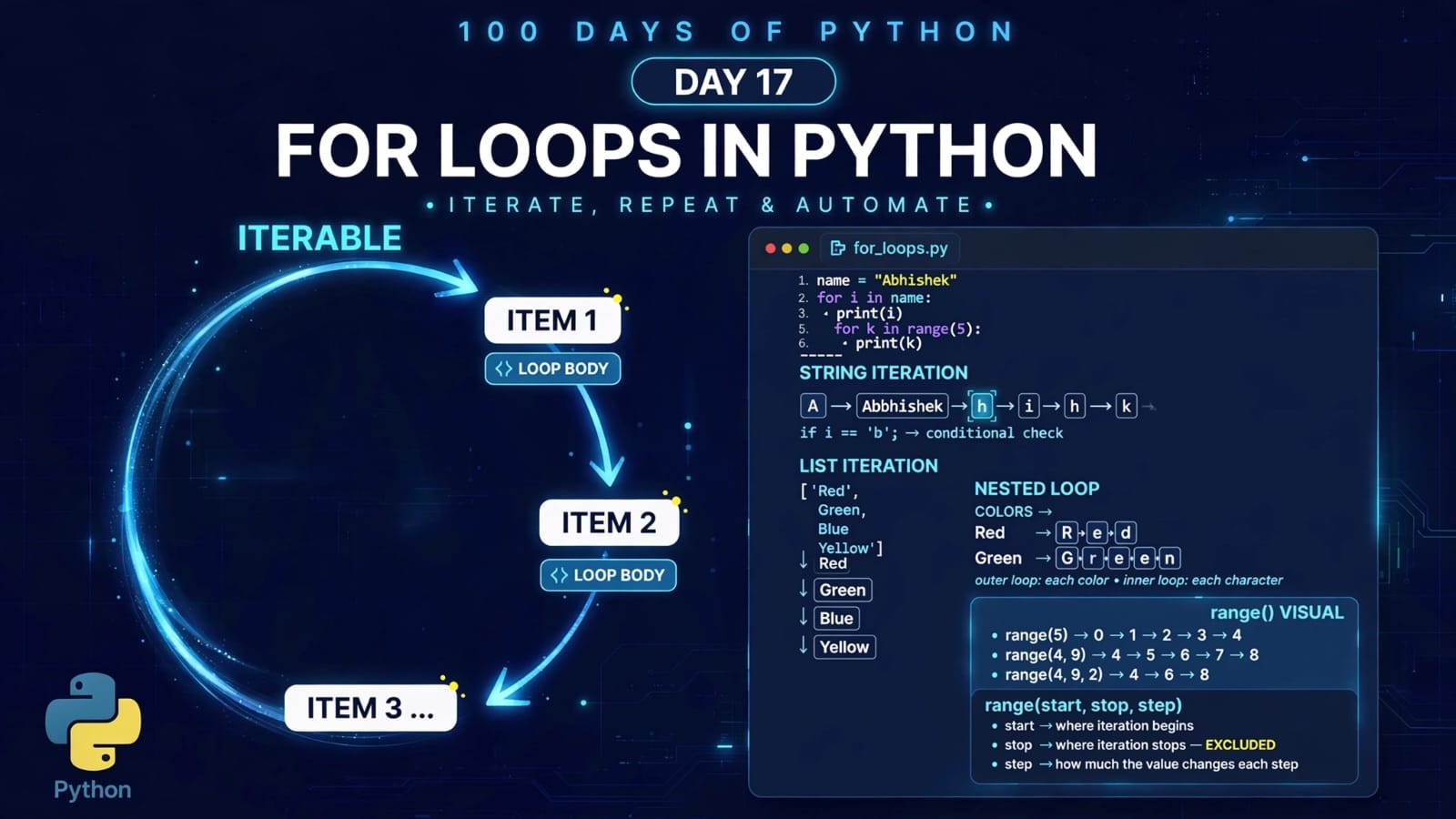
In the previous lesson, we learned about for loops, which are commonly used when iterating over a sequence or when the number of iterations is known.
A while loop works differently. It repeatedly executes a block of code as long as a given condition remains True.
We will also learn:
How a
whileloop worksUpdating the loop variable
Infinite loops and how to avoid them
whilewithelseThe
breakstatementHow to emulate a do-while loop in Python
Understanding the complete
main.pyprogram
📚 What We Will Learn
What is a
whileloop?Basic syntax
How a
whileloop worksUpdating the loop variable
Avoiding infinite loops
whileloop withelseUnderstanding
breakDo-while loops
Emulating do-while behavior in Python
Complete Day 18 program
Important concepts at a glance
Quick revision
Key takeaways
1. What is a while Loop?
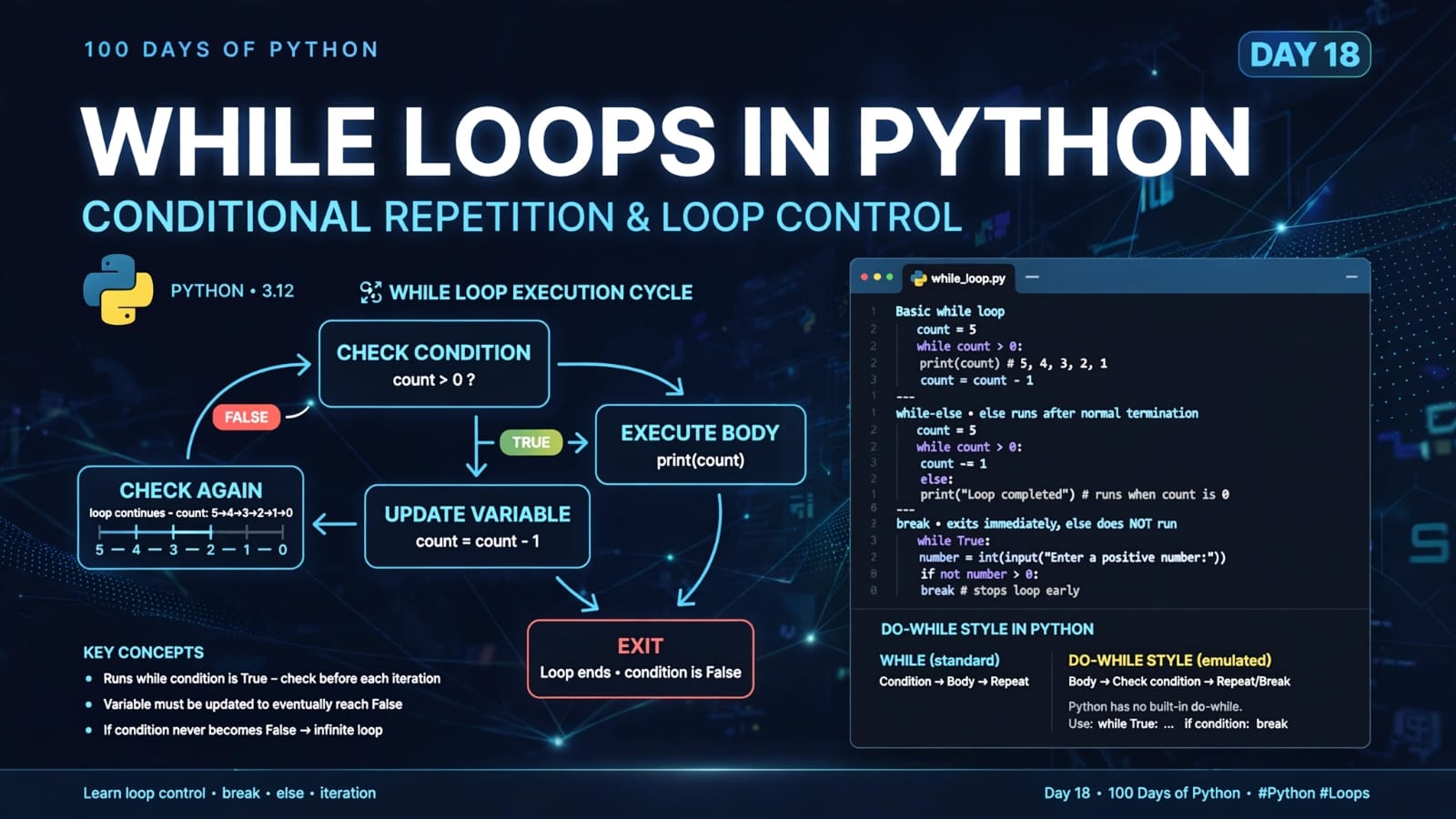
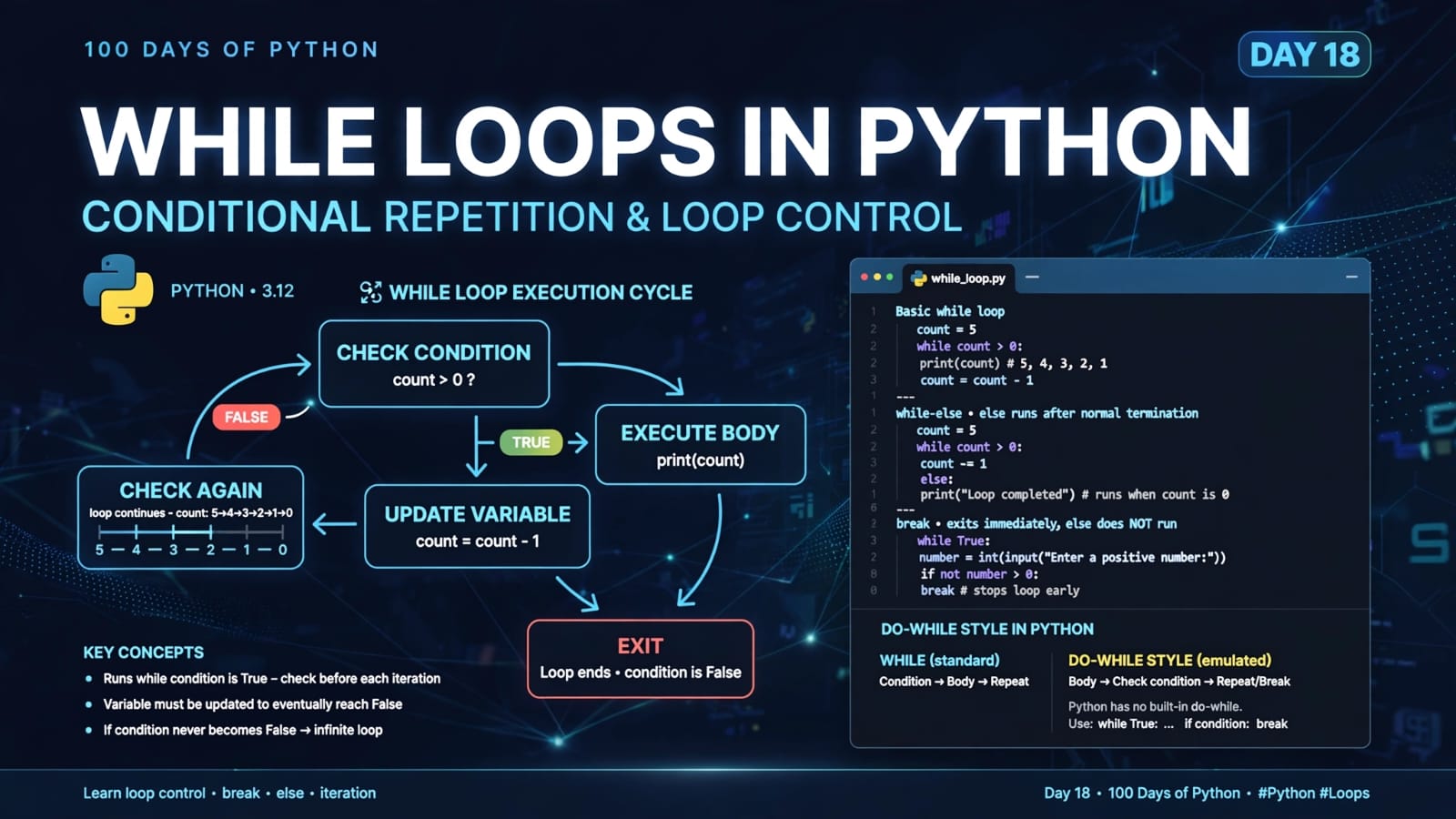
A while loop repeatedly executes a block of statements as long as its condition evaluates to True.
Basic idea:
Check condition
      ↓
Is it True?
  ↓       ↓
 Yes      No
  ↓        ↓
Execute   Exit loop
body
  ↓
Update variables
  ↓
Check condition again
The loop continues until the condition becomes False.
Basic syntax
while condition:
    # statements
For example:
count = 5

while count > 0:
    print(count)
    count = count - 1
Output
5
4
3
2
1
2. How Does This while Loop Work?
Let's understand the example step by step:
count = 5

while count > 0:
    print(count)
    count = count - 1
Initially:
count = 5
Python checks:
count > 0
Since:
5 > 0 → True
the loop body executes.
It prints:
5
Then:
count = count - 1
changes the value to:
4
Python checks the condition again:
4 > 0 → True
The process continues:
5
4
3
2
1
After printing 1, the value becomes:
count = 0
Now:
0 > 0 → False
Therefore, Python exits the loop.
3. The Importance of Updating the Loop Variable
One of the most important things to understand with a while loop is that you usually need to change something inside the loop that eventually makes the condition false.
For example:
count = 5

while count > 0:
    print(count)
    count = count - 1
Here, count decreases every iteration.
5 → 4 → 3 → 2 → 1 → 0
Eventually the condition:
count > 0
becomes false.
4. What Happens If We Don't Update the Variable?
Consider this:
count = 5

while count > 0:
    print(count)
The value of count never changes.
Therefore:
count = 5
remains true forever.
The condition:
count > 0
will always be:
True
This creates an infinite loop.
Infinite loop concept
5 → 5 → 5 → 5 → 5 → ...
The loop never reaches a state where:
count > 0
becomes False.
Therefore, when designing a while loop, always ask:
What will eventually make the loop condition false?
5. Incrementing and Decrementing
Depending on the problem, we may either increment or decrement a variable.
Decrementing
count = 5

while count > 0:
    print(count)
    count -= 1
This produces:
5
4
3
2
1
Incrementing
count = 1

while count <= 5:
    print(count)
    count += 1
Output:
1
2
3
4
5
The important point is not whether we increment or decrement.
The important point is that the loop must eventually reach a condition that evaluates to False, unless we intentionally create an infinite loop and exit using something such as break.
6. while Loop with else
Python also allows an else block to be associated with a while loop.
Example:
x = 5

while x > 0:
    print(x)
    x = x - 1
else:
    print("counter is 0")
Output
5
4
3
2
1
counter is 0
Here, the else block executes after the while condition becomes false.
The flow is:
x = 5
  ↓
x > 0 → True
  ↓
Print 5
  ↓
x = 4
  ↓
...
  ↓
x = 0
  ↓
x > 0 → False
  ↓
Execute else
So:
else:
    print("counter is 0")
runs after normal termination of the while loop.
7. while + else and break
There is an important detail about while-else.
The else block executes when the loop terminates normally because its condition becomes false.
If the loop exits using break, the else block is skipped.
For example:
x = 5

while x > 0:
    print(x)

    if x == 3:
        break

    x -= 1
else:
    print("Loop completed normally")
Output:
5
4
3
The break statement immediately terminates the loop.
Therefore:
else:
    print("Loop completed normally")
does not execute.
This behavior is useful when we want to distinguish between:
the loop finishing normally, and
the loop being terminated early.
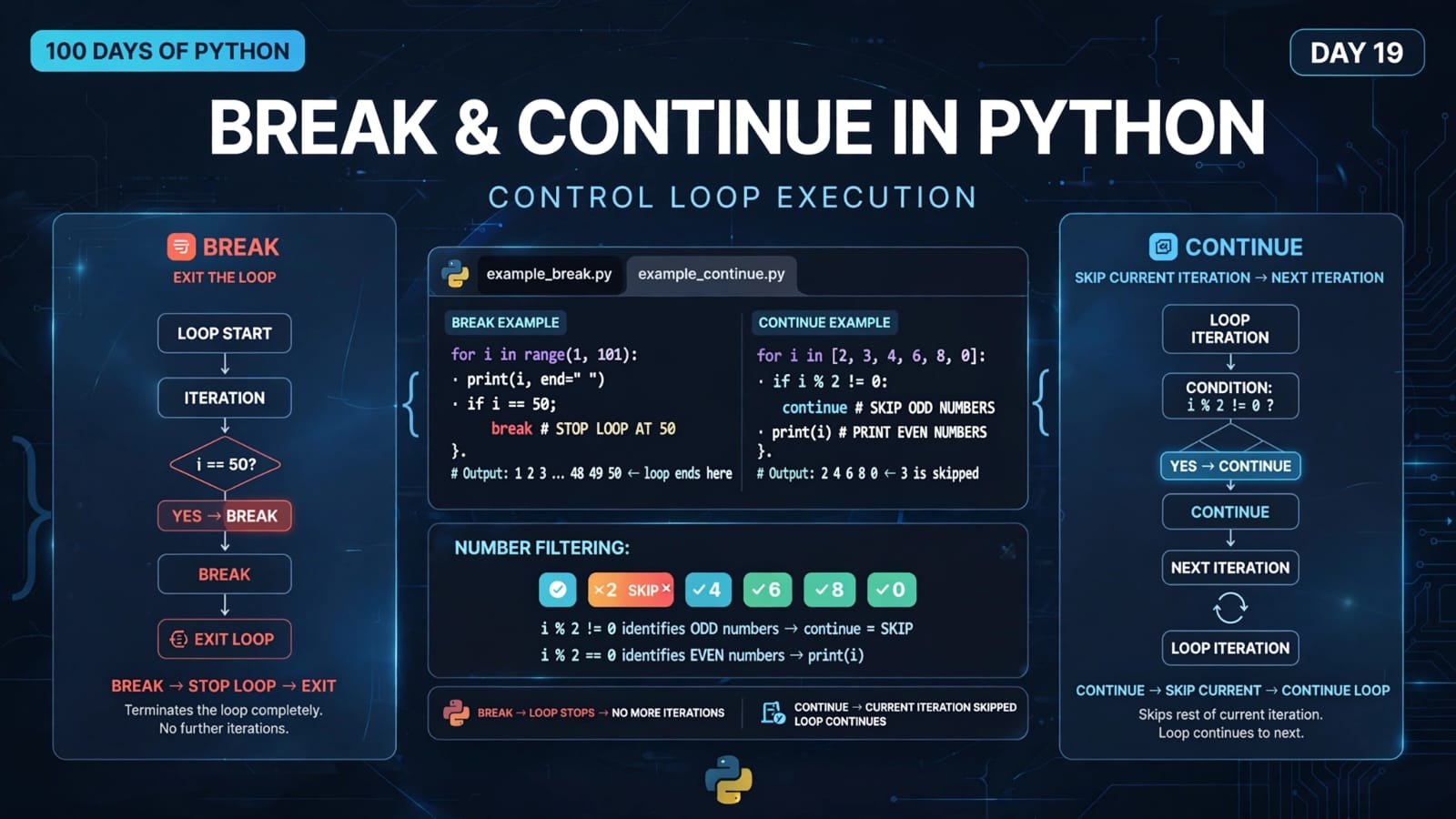
8. What is break?
The break statement is used to immediately terminate a loop.
Example:
while True:
    number = int(input("Enter a number: "))

    if number < 0:
        break

    print(number)
If the user enters:
5
the loop continues.
If the user enters:
-1
the break statement executes and the loop terminates.
Flow
while True
    ↓
Take input
    ↓
Process input
    ↓
Condition for stopping?
   ↙       ↘
 Yes       No
  ↓         ↓
 break    repeat
9. Do-While Loop
Some programming languages provide a dedicated do-while loop.
A do-while loop has a special property:
The loop body executes at least once before the condition is checked.
Conceptually:
Execute body
     ↓
Check condition
   ↙       ↘
True      False
 ↓          ↓
Repeat     Exit
This differs from a normal while loop.
A normal while loop checks the condition before executing the body:
Check condition
      ↓
   True?
  ↙     ↘
Yes      No
 ↓        ↓
Body     Exit
Therefore, if the initial condition is already false, a normal while loop may execute zero times.
10. Does Python Have a do-while Keyword?
Python does not have a dedicated do-while statement.
Instead, we can achieve similar behavior using:
while True:
    # code to execute

    if condition:
        break
This pattern is commonly used to emulate do-while behavior.
11. Emulating a Do-While Loop in Python
Consider:
while True:
    number = int(input("Enter a positive number: "))
    print(number)

    if not number > 0:
        break
Let's understand it.
Step 1: while True
while True:
True is always true, so this creates a loop that would continue indefinitely.
Step 2: Execute the body
number = int(input("Enter a positive number: "))
print(number)
The user is asked for a number.
Importantly, this code executes before the stopping condition is checked.
Step 3: Check the stopping condition
if not number > 0:
    break
If the entered number is not positive, break terminates the loop.
12. Understanding not number > 0
This condition:
not number > 0
means:
not (number > 0)
For example:
If:
number = 4
then:
number > 0 → True
not True → False
So the break statement does not execute.
The loop continues.
If:
number = -1
then:
number > 0 → False
not False → True
Therefore:
break
executes.
The loop terminates.
13. Example Execution
Suppose the user enters:
1
4
-1
The program behaves like this:
First iteration
Enter a positive number: 1
1
Since 1 > 0, the loop continues.
Second iteration
Enter a positive number: 4
4
Since 4 > 0, the loop continues.
Third iteration
Enter a positive number: -1
-1
Now:
-1 > 0 → False
Therefore:
not -1 > 0
is true, and:
break
terminates the loop.
14. Day 18 main.py – Complete Program
Here is the complete program from today's lesson:
i = int(input("Enter a number: "))
print(i)

while i <= 38:
    i = int(input("Enter a number: "))
    print(i)

print("Done with the loop")

count = 5

while count > 0:
    print(count)
    count = count - 1
else:
    print("I am inside else block")

while True:
    number = int(input("Enter a positive number: "))
    print(number)

    if not number > 0:
        break
15. Understanding the First while Loop
The first section is:
i = int(input("Enter a number: "))
print(i)

while i <= 38:
    i = int(input("Enter a number: "))
    print(i)

print("Done with the loop")
First, the program asks the user for a number.
Then it checks:
while i <= 38:
If i is less than or equal to 38, the loop runs.
Inside the loop, another number is requested:
i = int(input("Enter a number: "))
This updates the value of i.
The loop continues until the user enters a value greater than 38.
For example:
Enter a number: 10
10
Enter a number: 20
20
Enter a number: 38
38
Enter a number: 50
50
Done with the loop
When 50 is entered:
50 <= 38 → False
Therefore, the loop terminates.
Important observation
The first input is taken before entering the loop.
Then another input is taken inside the loop.
This means the first value determines whether the loop starts at all.
16. Understanding the Second while Loop
The second section is:
count = 5

while count > 0:
    print(count)
    count = count - 1
else:
    print("I am inside else block")
Output:
5
4
3
2
1
I am inside else block
The counter follows:
5 → 4 → 3 → 2 → 1 → 0
When:
count > 0
becomes false, the loop ends normally and the else block executes.
17. Understanding the Third while Loop
The final section is:
while True:
    number = int(input("Enter a positive number: "))
    print(number)

    if not number > 0:
        break
This is the do-while-style portion of today's program.
The body executes first, and then the program checks whether it should stop.
For example:
Enter a positive number: 5
5
Enter a positive number: 10
10
Enter a positive number: 3
3
Enter a positive number: -2
-2
When -2 is entered:
not number > 0
becomes true.
Therefore:
break
terminates the loop.
18. while Loop vs for Loop
Both are used for repetition, but they are often used in different situations.
for Loop |
while Loop |
|---|---|
| Commonly iterates over an iterable | Runs while a condition is true |
| Useful when iterating through sequences | Useful when repetition depends on a condition |
| Often used when iteration is determined by a collection or range | Often used when the number of iterations is not known beforehand |
Example: for x in range(5) |
Example: while x < 5 |
Example:
for i in range(5):
    print(i)
versus:
i = 0

while i < 5:
    print(i)
    i += 1
Both produce:
0
1
2
3
4
But the logic controlling the repetition is expressed differently.
19. Common Mistakes with while Loops
Mistake 1: Forgetting to update the variable
count = 5

while count > 0:
    print(count)
This can result in an infinite loop.
Mistake 2: Updating in the wrong direction
Suppose we write:
count = 5

while count > 0:
    print(count)
    count += 1
The values become:
5 → 6 → 7 → 8 → ...
The condition:
count > 0
never becomes false.
Again, this creates an infinite loop.
Mistake 3: Forgetting break in an intentional infinite loop
If we write:
while True:
    print("Hello")
there is no natural stopping condition.
If we intentionally use while True, we generally need a suitable exit mechanism such as:
break
20. Important Concepts at a Glance
| Concept | Meaning |
|---|---|
while |
Repeats code while a condition is True |
| Condition | Controls whether the loop continues |
| Loop variable | A variable whose value often changes during the loop |
while True |
Creates an intentionally infinite loop |
break |
Immediately exits the loop |
else with while |
Runs when the loop ends normally because its condition becomes false |
| Do-while | Executes the body at least once before checking the continuation condition |
| Python do-while | Emulated using while True and break |
| Infinite loop | A loop that never reaches a terminating condition |
21. Quick Revision
Basic while
while condition:
    # code
Decrementing
count = 5

while count > 0:
    print(count)
    count -= 1
Incrementing
count = 1

while count <= 5:
    print(count)
    count += 1
while-else
while condition:
    # code
else:
    # runs after normal loop termination
Exit using break
while True:
    # code

    if condition:
        break
Do-while-style pattern
while True:
    # execute at least once

    if stop_condition:
        break
22. Key Takeaways
A
whileloop executes code repeatedly while its condition isTrue.The condition is checked before each iteration.
The loop variable usually needs to be updated so that the loop can eventually terminate.
Forgetting to update the relevant variable can create an infinite loop.
A
whileloop can have anelseblock.The
elseblock runs when the loop terminates normally because its condition becomes false.If the loop exits through
break, itselseblock does not execute.Python does not have a dedicated
do-whilekeyword.A do-while-style loop can be created using
while Trueandbreak.A do-while-style structure guarantees that the loop body executes at least once.
breakimmediately terminates the current loop.
Today we learned how to control repetition using conditions with while loops, how while-else works, and how Python can emulate the behavior of a do-while loop.
The next step is to keep practicing these loop patterns until the flow becomes intuitive — especially the relationship between conditions, variable updates, and loop termination.
📂 Day 18 Resources
https://github.com/SriteshSuranjan/100-Days-of-Python/tree/main/18-Day18-While-Loops