Day 14 – If-Else Conditionals in Python
🚀 Passionate DevOps Engineer with expertise in cloud computing, CI/CD, and automation. Skilled in Linux, Docker, Kubernetes, Terraform, Ansible, and Jenkins. I specialize in building scalable, secure, and automated infrastructures, optimizing software delivery pipelines, and integrating DevSecOps practices. Always exploring new ways to enhance deployment workflows and bridge the gap between development and operations.
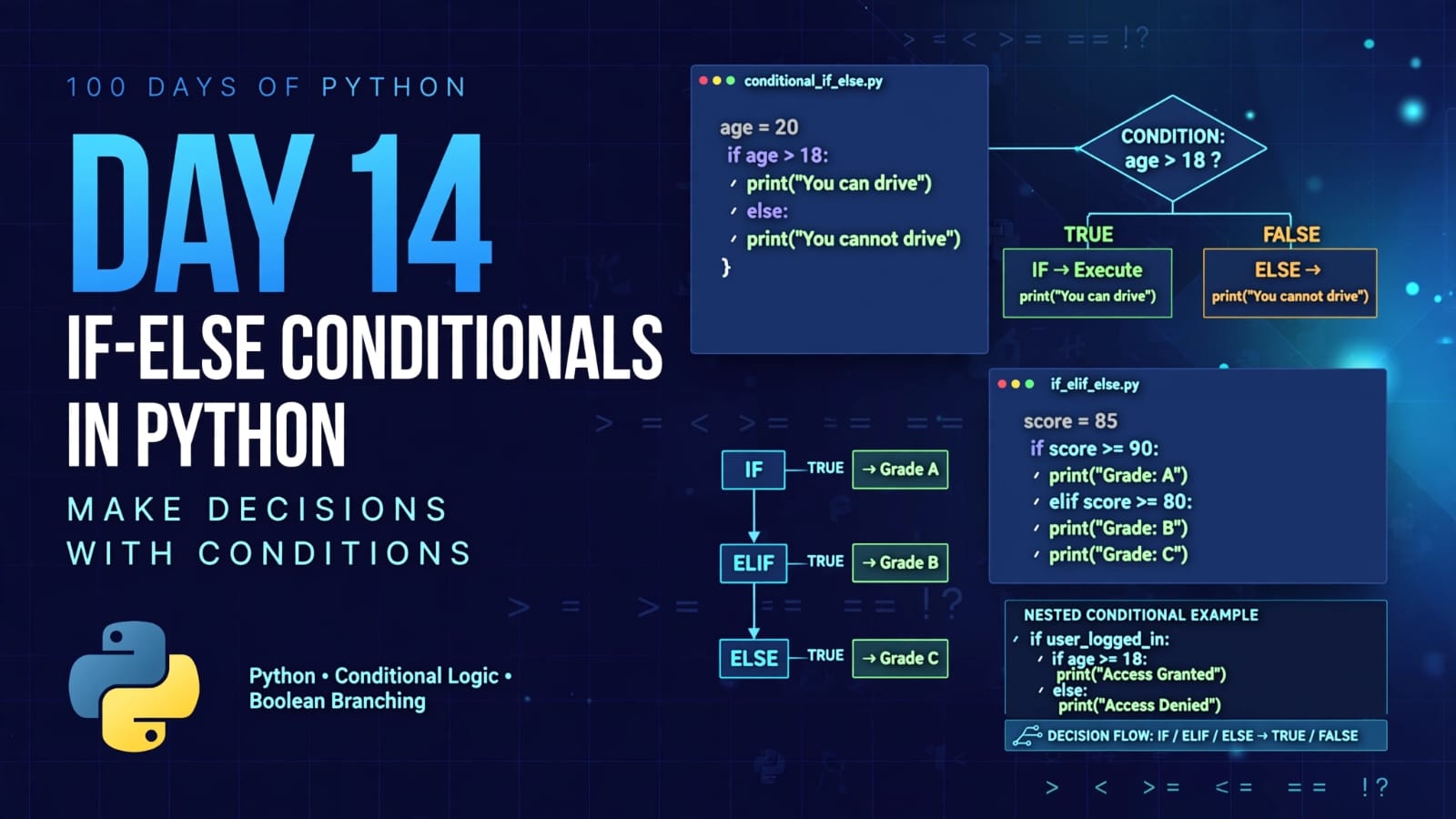
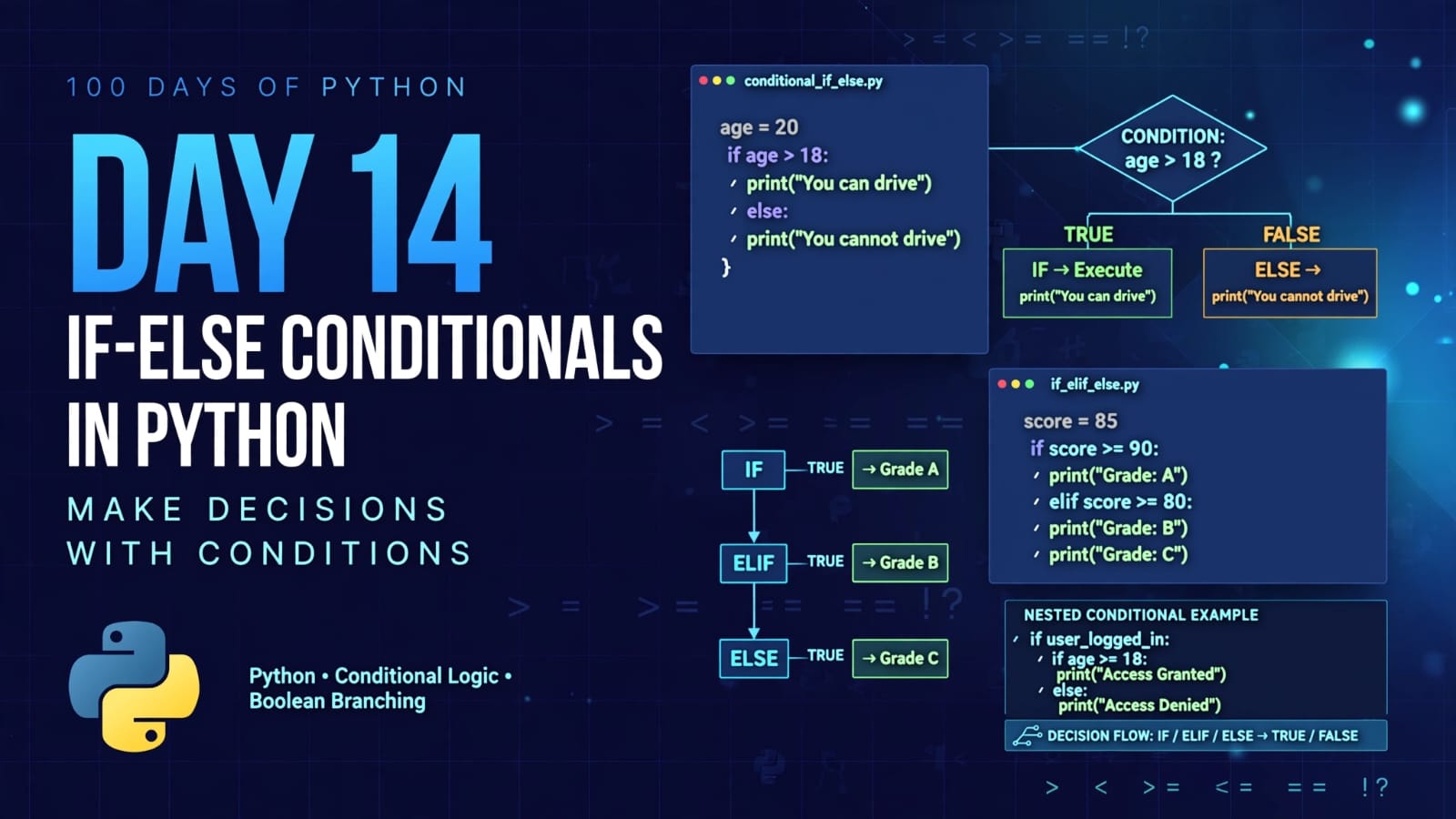
Welcome to Day 14 of 100 Days of Python!
Today, we are learning one of the most important concepts in programming: conditional statements.
Programs often need to make decisions based on certain conditions.
For example:
If your age is greater than 18 → you can drive.
If the apple price is within your budget → buy apples.
If a number is negative → print that it is negative.
If a number is zero → print that it is zero.
If none of the conditions match → execute another block of code.
Python provides if, elif, and else statements to implement this decision-making logic.
What We Will Learn
In this tutorial, we will learn:
What conditional statements are
ifstatementsif-elsestatementsif-elif-elsestatementsComparison operators
How Python evaluates conditions
Nested
ifstatementsUsing
andwith conditionsTaking user input for conditions
How indentation controls conditional blocks
Practical examples using Python
1. What Are Conditional Statements?
A conditional statement allows a program to make decisions.
The program evaluates a condition, which produces either:
True
or
False
Based on the result, Python decides which block of code should execute.
For example:
age = 20

if age > 18:
    print("You can drive.")
Here, Python checks:
age > 18
Since 20 > 18 is True, the print() statement executes.
Output:
You can drive.
If the condition were False, Python would skip the if block.
2. The if Statement
The simplest conditional statement in Python is the if statement.
Syntax
if condition:
    # code to execute when condition is True
Example:
age = 20

if age > 18:
    print("You can drive.")
How It Works
Python evaluates:
age > 18
The result is:
True
Therefore, Python executes:
print("You can drive.")
3. Comparison Operators
Conditional statements commonly use comparison operators.
These operators compare two values and return either True or False.
| Operator | Meaning | Example |
|---|---|---|
> |
Greater than | 10 > 5 → True |
< |
Less than | 5 < 10 → True |
>= |
Greater than or equal to | 10 >= 10 → True |
<= |
Less than or equal to | 10 <= 10 → True |
== |
Equal to | 10 == 10 → True |
!= |
Not equal to | 10 != 5 → True |
Important
Do not confuse:
=
with:
==
= is used for assignment:
age = 20
== is used for comparison:
age == 20
4. if-else Statement
Sometimes we want one block of code to execute when a condition is True and another block when it is False.
For this, we use if-else.
Syntax
if condition:
    # executes when condition is True
else:
    # executes when condition is False
Example:
applePrice = 210
budget = 200

if applePrice <= budget:
    print("Alexa, add 1 kg Apples to the cart.")
else:
    print("Alexa, do not add Apples to the cart.")
Here:
210 <= 200
is False.
Therefore, the else block executes.
Output:
Alexa, do not add Apples to the cart.
5. Understanding if-else Flow
The execution flow can be visualized like this:
             Start
               |
               v
       Evaluate condition
               |
        +------+------+
        |             |
      True          False
        |             |
        v             v
    if block       else block
        |             |
        +------+------+
               |
               v
             Continue
Only one of the two blocks executes.
6. Taking User Input in Conditions
Conditional statements become more useful when we take input from the user.
Example:
a = int(input("Enter your age: "))

if a > 18:
    print("You can Drive.")
else:
    print("You cannot Drive.")
The input() function returns a string, so we use:
int()
to convert the entered value into an integer.
For example, if the user enters:
20
then:
a
contains the integer:
20
Python checks:
a > 18
Since the condition is True, it prints:
You can Drive.
7. Understanding 01_myif.py
Our first program is:
a = int(input("Enter your age: "))

print("Your age is: ", a)

# Conditional operators
# >, <, >=, <=, ==, !=

# print(a > 18)
# print(a <= 18)
# print(a == 18)
# print(a != 18)

if a > 18:
    print("You can Drive.")
    print("Yes")
else:
    print("You cannot Drive.")
    print("No")

print("End of the program.")
Let's understand it step by step.
Step 1: Take Input
a = int(input("Enter your age: "))
The user enters their age.
Step 2: Display the Age
print("Your age is: ", a)
The entered age is displayed.
Step 3: Check the Condition
if a > 18:
Python checks whether the age is greater than 18.
Step 4: If True
If the user enters:
25
then:
25 > 18
is True.
Python executes:
print("You can Drive.")
print("Yes")
Step 5: If False
If the user enters:
16
then:
16 > 18
is False.
Python executes:
print("You cannot Drive.")
print("No")
Step 6: Continue the Program
Finally:
print("End of the program.")
executes regardless of whether the if or else block was selected.
8. The elif Statement
What if we have more than two possible conditions?
For example, a number can be:
Negative
Zero
Positive
We could use multiple if statements, but Python provides a cleaner solution:
elif
elif means "else if".
Syntax
if condition1:
    # code
elif condition2:
    # code
else:
    # code
Python checks the conditions from top to bottom.
9. How if-elif-else Works
Consider:
num = 0

if num < 0:
    print("Number is negative.")
elif num == 0:
    print("Number is Zero.")
else:
    print("Number is positive.")
Python first checks:
num < 0
For num = 0:
0 < 0
is False.
Python then checks:
num == 0
This is True.
Therefore:
Number is Zero.
is printed.
The else block is not executed.
10. Understanding 03_elif.py
Our program is:
num = int(input("Enter a number: "))

if num < 0:
    print("Number is negative.")
elif num == 0:
    print("Number is Zero.")
elif num == 999:
    print("Number is Special.")
else:
    print("Number is positive.")

print("I am happy now.")
This program demonstrates multiple conditions.
Condition 1
if num < 0:
If the number is negative:
Number is negative.
Condition 2
elif num == 0:
If the number is exactly zero:
Number is Zero.
Condition 3
elif num == 999:
If the number is exactly 999:
Number is Special.
Final Case
else:
    print("Number is positive.")
If none of the previous conditions is True, the else block executes.
For example, if:
num = 25
then:
25 < 0→ False25 == 0→ False25 == 999→ Falseelse→ executes
Output:
Number is positive.
11. Important Point About elif
Python checks an if-elif-else chain from top to bottom.
Once Python finds a condition that evaluates to True, it executes that block and skips the remaining conditions in that chain.
For example:
num = 999

if num > 0:
    print("Positive")
elif num == 999:
    print("Special")
The first condition:
num > 0
is already True.
Therefore, Python prints:
Positive
and does not continue to the elif.
This is why the order of conditions matters.
12. The else Statement
The else block is executed when none of the preceding conditions is True.
Example:
age = 15

if age >= 18:
    print("Adult")
else:
    print("Minor")
Since:
15 >= 18
is False, Python executes:
else
Output:
Minor
The else block is optional.
You can have:
if
by itself,
or:
if + else
or:
if + elif + else
13. Nested if Statements
An if statement can also be placed inside another if, elif, or else block.
This is called a nested conditional statement.
Example:
num = 18

if num < 0:
    print("Number is negative.")

elif num > 0:

    if num <= 10:
        print("Number is between 1-10")

    elif num > 10 and num <= 20:
        print("Number is between 11-20")

    else:
        print("Number is greater than 20")

else:
    print("Number is zero")
Here, the second if is inside the elif num > 0 block.
Therefore, it is a nested if.
14. Understanding 04_nested.py
Let's break the program down.
First:
num = 18
Python checks:
if num < 0:
Since:
18 < 0
is False, Python moves to:
elif num > 0:
This is:
18 > 0
which is True.
Therefore, Python enters this block:
if num <= 10:
Now:
18 <= 10
is False.
Python moves to:
elif num > 10 and num <= 20:
Both conditions are true:
18 > 10      → True
18 <= 20     → True
The and operator requires both conditions to be True.
Therefore, the result is:
True
and Python prints:
Number is between 11-20
15. Using and in Conditions
In our nested program, we use:
num > 10 and num <= 20
The and operator combines two conditions.
Both conditions must be True.
| Condition 1 | Condition 2 | and Result |
|---|---|---|
| True | True | True |
| True | False | False |
| False | True | False |
| False | False | False |
For:
num = 18
we get:
18 > 10
→ True
and:
18 <= 20
→ True
Therefore:
True and True
results in:
True
16. Python Indentation Is Important
Python uses indentation to identify which statements belong to a conditional block.
Correct:
if age > 18:
    print("You can drive.")
The print() statement is indented, so it belongs to the if block.
Another example:
if age > 18:
    print("You can drive.")
    print("Yes")
else:
    print("You cannot drive.")
Both statements under the if are indented.
Incorrect indentation can result in an error or change the program's logic.
17. Parentheses Around Conditions
You may see conditions written like:
if (applePrice <= budget):
This is valid Python.
You can also write:
if applePrice <= budget:
Both work.
For example:
if (num == 0):
    print("Zero")
and:
if num == 0:
    print("Zero")
have the same meaning.
Parentheses are not required around a simple condition.
18. Complete Programs From Day 14
Program 1 – Age Checking
a = int(input("Enter your age: "))

print("Your age is: ", a)

if a > 18:
    print("You can Drive.")
    print("Yes")
else:
    print("You cannot Drive.")
    print("No")

print("End of the program.")
Example output:
Enter your age: 21
Your age is:  21
You can Drive.
Yes
End of the program.
Program 2 – Apple Budget
applePrice = 210
budget = 200

if applePrice <= budget:
    print("Alexa, add 1 kg Apples to the cart.")
else:
    print("Alexa, do not add Apples to the cart.")
Output:
Alexa, do not add Apples to the cart.
Program 3 – Multiple Conditions
num = int(input("Enter a number: "))

if num < 0:
    print("Number is negative.")
elif num == 0:
    print("Number is Zero.")
elif num == 999:
    print("Number is Special.")
else:
    print("Number is positive.")

print("I am happy now.")
Program 4 – Nested Conditions
num = 18

if num < 0:
    print("Number is negative.")

elif num > 0:

    if num <= 10:
        print("Number is between 1-10")

    elif num > 10 and num <= 20:
        print("Number is between 11-20")

    else:
        print("Number is greater than 20")

else:
    print("Number is zero")
Output:
Number is between 11-20
19. Types of Conditional Structures
The concepts covered today can be summarized as follows:
1. if
Used when we want to execute code only when a condition is true.
if age > 18:
    print("Adult")
2. if-else
Used when there are two possible paths.
if age >= 18:
    print("Adult")
else:
    print("Minor")
3. if-elif-else
Used when there are multiple possible conditions.
if marks >= 90:
    print("A")
elif marks >= 75:
    print("B")
else:
    print("C")
4. Nested Conditionals
Used when one condition needs to be checked inside another conditional block.
if age >= 18:
    if has_license:
        print("Can drive")
20. Important Concepts at a Glance
| Concept | Purpose |
|---|---|
if |
Executes code when a condition is True |
else |
Executes when previous condition(s) are False |
elif |
Checks another condition |
> |
Greater than |
< |
Less than |
>= |
Greater than or equal to |
<= |
Less than or equal to |
== |
Checks equality |
!= |
Checks inequality |
and |
Both conditions must be true |
int() |
Converts input into an integer |
| Indentation | Defines conditional blocks |
Nested if |
Conditional statement inside another conditional |
21. Quick Revision
What is a conditional statement?
A conditional statement allows a program to make decisions based on whether a condition evaluates to True or False.
What does if do?
It executes a block of code when its condition is True.
What does else do?
It executes when the preceding if/elif conditions are all False.
What does elif mean?
elif means else if and allows us to check additional conditions.
Can we have multiple elif statements?
Yes.
if condition1:
    ...
elif condition2:
    ...
elif condition3:
    ...
else:
    ...
Can we put an if inside another if?
Yes. This is called a nested if statement.
What does == mean?
It checks whether two values are equal.
a == b
What does = mean?
It assigns a value.
a = 10
22. Key Takeaways
Conditional statements allow programs to make decisions.
Python uses
if,elif, andelsefor decision-making.Conditions evaluate to
TrueorFalse.Comparison operators are commonly used inside conditions.
if-elseprovides two possible execution paths.elifallows multiple conditions to be checked.Python executes the first matching condition in an
if-elif-elsechain.elseexecutes when none of the previous conditions isTrue.Conditional statements can be nested inside one another.
The
andoperator requires both conditions to beTrue.Proper indentation is essential in Python.
User input can be combined with conditionals to create interactive programs.
Conditional statements are one of the fundamental building blocks of programming. Once you understand them, you can start creating programs that respond differently depending on the input and situation.
📂 Day 14 Resources
https://github.com/SriteshSuranjan/100-Days-of-Python/tree/main/14-Day14-If-Else-Conditionals