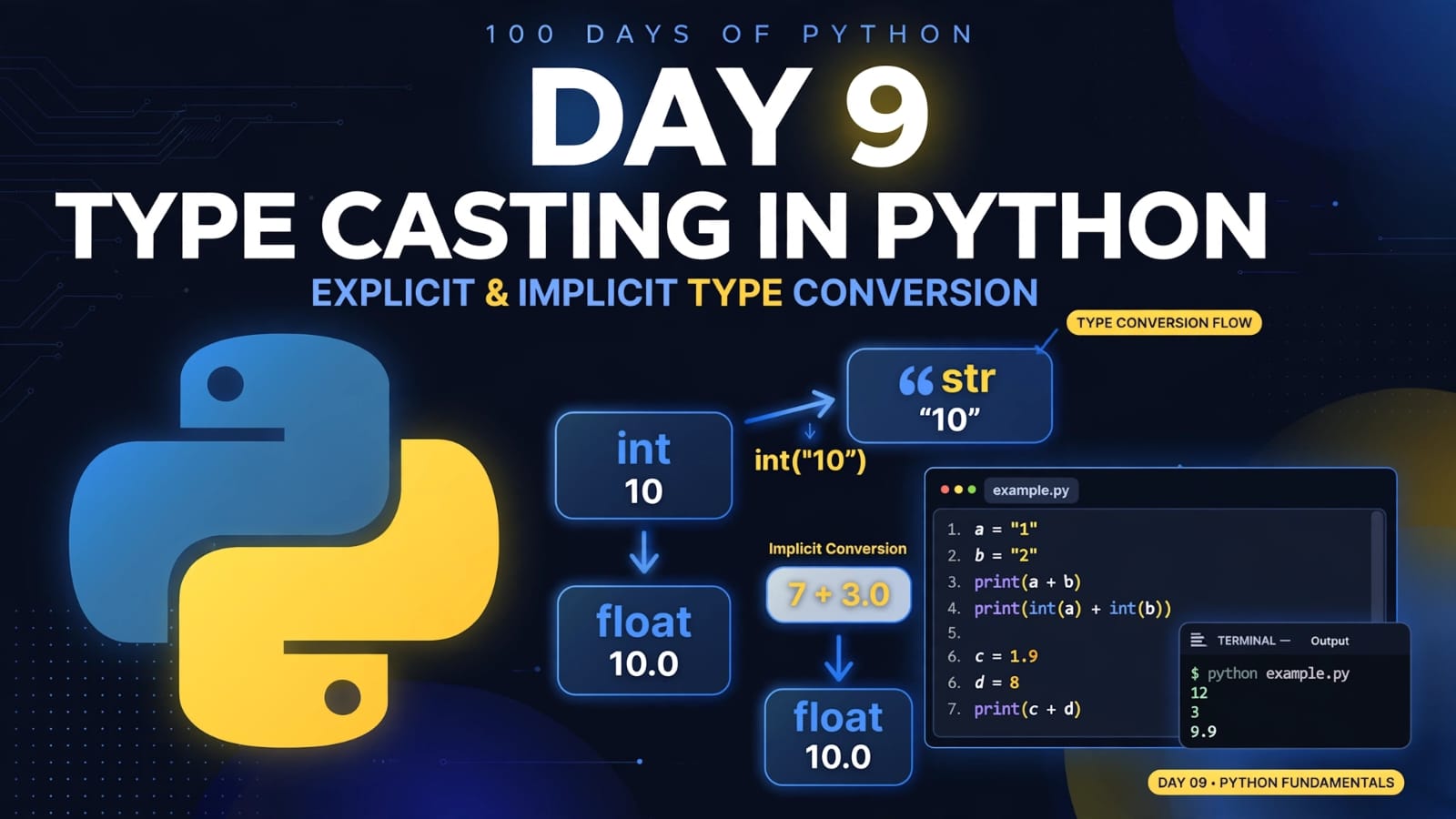
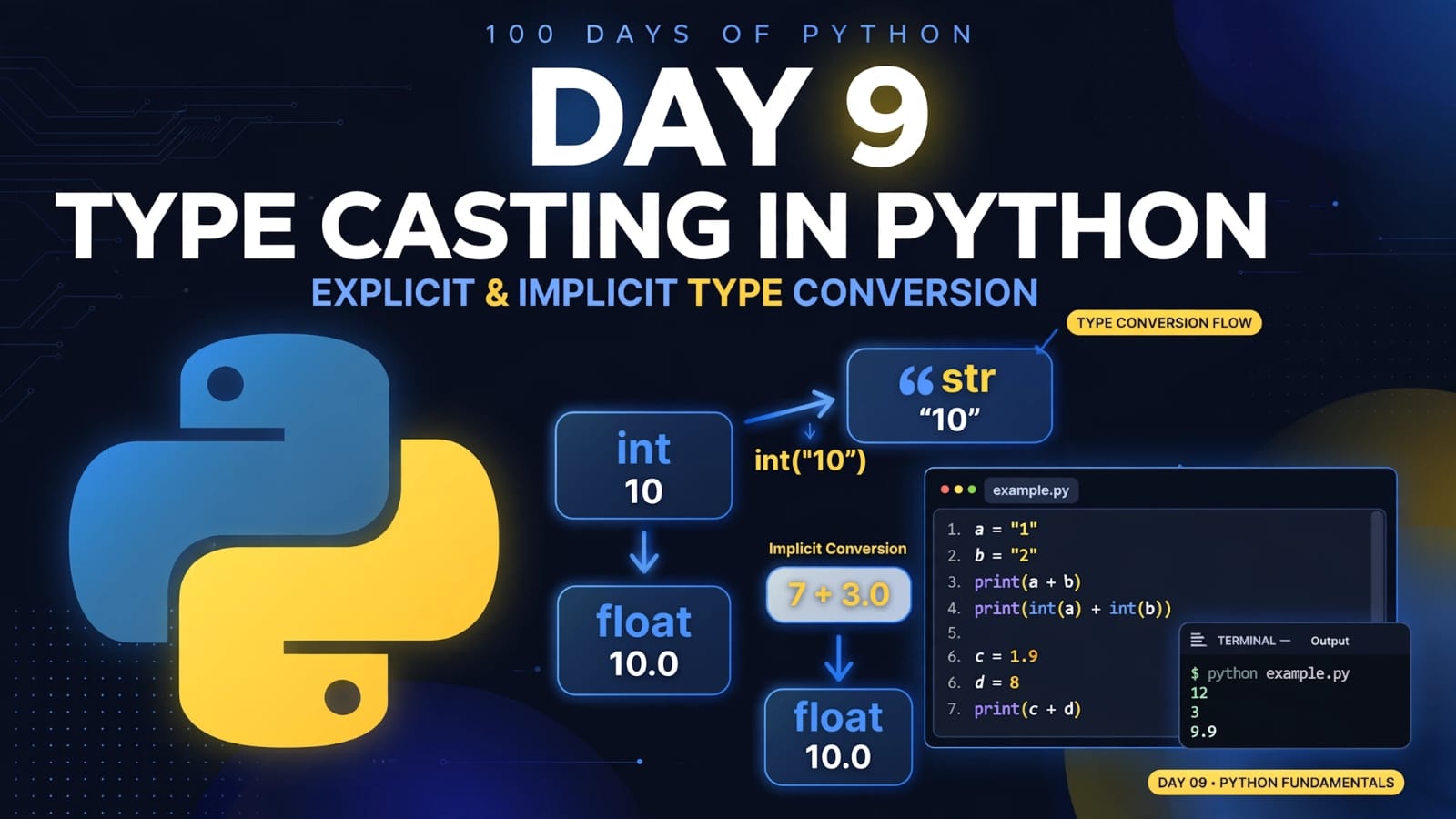
Day 9 – Type Casting in Python: Explicit & Implicit Type Conversion
🚀 Passionate DevOps Engineer with expertise in cloud computing, CI/CD, and automation. Skilled in Linux, Docker, Kubernetes, Terraform, Ansible, and Jenkins. I specialize in building scalable, secure, and automated infrastructures, optimizing software delivery pipelines, and integrating DevSecOps practices. Always exploring new ways to enhance deployment workflows and bridge the gap between development and operations.
What is Type Casting?
Type casting, also called type conversion, is the process of converting a value from one data type to another.
For example, a value stored as a string can be converted into an integer:
a = "10"
b = int(a)

print(b)
print(type(b))
Output:
10
<class 'int'>
Python provides several built-in functions that can be used for type conversion, including:
| Function | Converts a value to |
|---|---|
int() |
Integer |
float() |
Floating-point number |
str() |
String |
bool() |
Boolean |
list() |
List |
tuple() |
Tuple |
set() |
Set |
dict() |
Dictionary, when the input has a valid dictionary-compatible structure |
ord() |
Unicode code point of a single character |
hex() |
Hexadecimal string representation of an integer |
oct() |
Octal string representation of an integer |
Types of Type Conversion
Python type conversion can generally be understood in two ways:
Explicit Type Conversion
Implicit Type Conversion
1. Explicit Type Conversion
Explicit type conversion happens when the programmer manually converts a value from one data type to another.
This is also commonly called explicit type casting.
Python's built-in conversion functions such as int(), float(), and str() can be used for this purpose.
Example
string = "15"
number = 7

string_number = int(string)

total = number + string_number

print("The sum of both numbers is:", total)
Output:
The sum of both numbers is: 22
Here:
string = "15"
is a string.
We explicitly convert it to an integer using:
string_number = int(string)
Now the addition can be performed between two integers.
Important
The string must contain a valid integer representation.
For example:
int("15")
works, but:
int("hello")
raises a ValueError.
Similarly:
int("15.5")
also raises a ValueError because "15.5" is not a valid integer literal for int().
Common Explicit Conversions
String to Integer
a = "10"
b = int(a)

print(b)
print(type(b))
Output:
10
<class 'int'>
Integer to Float
a = 10
b = float(a)

print(b)
print(type(b))
Output:
10.0
<class 'float'>
Integer to String
a = 100
b = str(a)

print(b)
print(type(b))
Output:
100
<class 'str'>
2. Implicit Type Conversion
Implicit type conversion happens when Python automatically converts a value to another compatible type during an operation.
For example:
a = 7
b = 3.0

c = a + b

print(c)
print(type(c))
Output:
10.0
<class 'float'>
Here:
ais anint.bis afloat.Python converts the integer value
7to a floating-point value for the addition.The result is a
float.
Conceptually:
7 + 3.0
↓
7.0 + 3.0
↓
10.0
This happens automatically, so we do not need to call float() ourselves.
Why Does Python Do This?
Python performs certain automatic conversions when doing so is appropriate and does not require losing information.
For example:
a = 7
b = 3.0

print(a + b)
produces:
10.0
The result is a float because the operation involves a floating-point value.
However, Python does not automatically convert unrelated types in every situation.
For example:
a = "1"
b = 2

print(a + b)
This raises a TypeError.
Python does not automatically convert "1" into 1.
We must explicitly convert it:
a = "1"
b = 2

print(int(a) + b)
Output:
3
Explicit vs Implicit Type Conversion
| Feature | Explicit Conversion | Implicit Conversion |
|---|---|---|
| Who performs it? | Programmer | Python |
| Also called | Type casting | Automatic type conversion |
| Requires conversion function? | Usually | No |
| Example | int("10") |
10 + 2.5 |
| Control | Programmer controls the conversion | Python performs the conversion |
Important Examples
Example 1: Strings
a = "1"
b = "2"

print(a + b)
Output:
12
Why?
Both values are strings, so + performs string concatenation.
It does not perform numerical addition.
Example 2: Explicit Conversion
a = "1"
b = "2"

print(int(a) + int(b))
Output:
3
Here we explicitly convert both strings into integers.
Example 3: Implicit Conversion
c = 1.9
d = 8

print(c + d)
print(type(c + d))
Output:
9.9
<class 'float'>
Python automatically handles the integer and float combination, producing a float result.
Key Takeaways
Type casting means converting a value from one data type to another.
Explicit conversion is performed manually by the programmer.
Functions such as
int(),float(), andstr()are commonly used for explicit conversion.Implicit conversion is performed automatically by Python in certain compatible operations.
"1" + "2"produces"12"because both values are strings.int("1") + int("2")produces3.1 + 2.5produces3.5because the integer participates in a floating-point operation.Python does not automatically convert unrelated types such as
strandintduring+.Type conversion is important when working with user input, calculations, files, APIs, and data processing.
Quick Revision
Type Casting
│
├── Explicit Conversion
│   ├── int()
│   ├── float()
│   ├── str()
│   ├── list()
│   ├── tuple()
│   └── set()
│
└── Implicit Conversion
    └── Python automatically performs
        certain compatible conversions
Remember
"1" + "2"          # "12"
int("1") + int("2") # 3
1 + 2.5            # 3.5
Type casting becomes especially useful when handling values coming from sources such as input(), files, APIs, databases, and user-entered data.
📂 Day 9 Resources
All notes and code for this day are available in the GitHub repository:
https://github.com/SriteshSuranjan/100-Days-of-Python/tree/main/09-Day09-Typecasting-in-Python