Day 10 – Taking User Input in Python
🚀 Passionate DevOps Engineer with expertise in cloud computing, CI/CD, and automation. Skilled in Linux, Docker, Kubernetes, Terraform, Ansible, and Jenkins. I specialize in building scalable, secure, and automated infrastructures, optimizing software delivery pipelines, and integrating DevSecOps practices. Always exploring new ways to enhance deployment workflows and bridge the gap between development and operations.
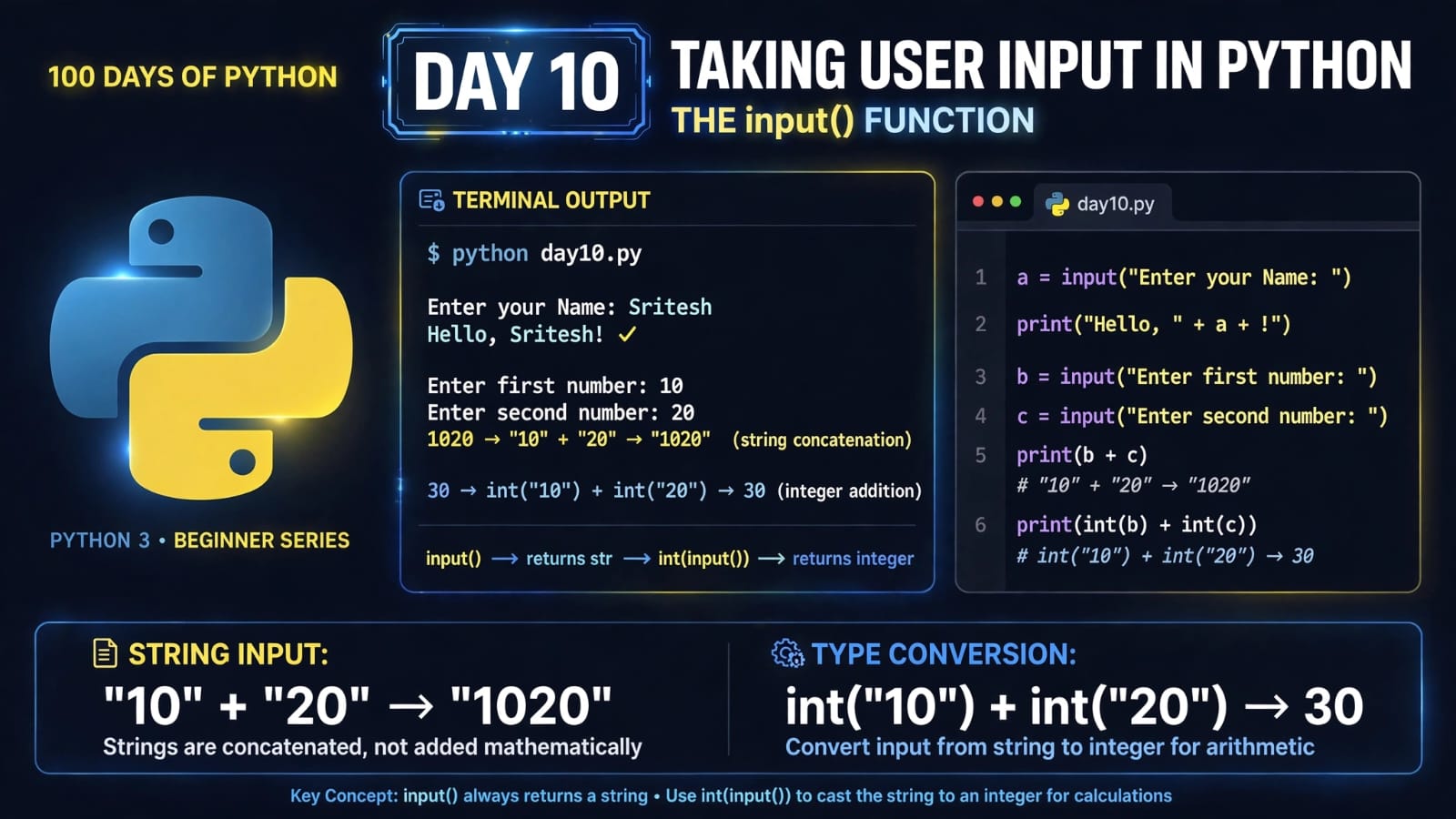
Day 10 – Taking User Input in Python
Welcome to Day 10 of 100 Days of Python!
Until now, most of our programs have worked with values that we directly wrote inside the code.
But what if we want the user to provide the data while the program is running?
That's where Python's built-in input() function comes in.
In this lesson, we will learn:
How to take input from a user
How
input()worksWhy
input()always returns a stringHow to take integer and float input
How to use a prompt with
input()How type casting works with user input
A common mistake when performing calculations with input
1. What is User Input?
User input is data provided by a user while a program is running.
Python provides the built-in input() function to take input from the user.
The basic syntax is:
variable = input()
For example:
name = input()

print(name)
If the user enters:
Sritesh
The output will be:
Sritesh
The value entered by the user is stored in the variable name.
2. How Does input() Work?
When Python encounters input(), the program pauses and waits for the user to enter something.
For example:
name = input()

print("Hello, " + name)
If the user enters:
Sritesh
The program produces:
Hello, Sritesh
So the basic flow is:
Program
   ↓
input()
   ↓
User enters data
   ↓
Python receives the data
   ↓
Value is stored in a variable
3. Important: input() Always Returns a String
This is one of the most important things to remember about input():
The
input()function always returns the user's input as a string (str).
For example:
age = input()

print(age)
print(type(age))
If the user enters:
23
The output will be:
23
<class 'str'>
Even though we entered 23, Python received it as:
"23"
not:
23
This becomes very important when we want to perform calculations.
4. Taking Integer Input
If we need an integer from the user, we can use int() with input().
age = int(input())

print(age)
print(type(age))
If the user enters:
23
Output:
23
<class 'int'>
Here:
input()
takes the input as a string, and:
int()
converts that string into an integer.
The process is:
User enters 23
      ↓
input()
      ↓
"23"
      ↓
int()
      ↓
23
5. Taking Float Input
We can also take decimal values using float().
price = float(input())

print(price)
print(type(price))
If the user enters:
99.50
Output:
99.5
<class 'float'>
The general pattern is:
integer_value = int(input())
float_value = float(input())
string_value = input()
6. Displaying a Message with input()
We don't have to leave input() empty.
We can provide a message inside the parentheses.
This message is called the prompt.
Example:
name = input("Enter your name: ")

print(name)
The user will see:
Enter your name: Sritesh
After entering the name, the program prints:
Sritesh
The syntax is:
variable = input("Prompt message")
7. Creating a Greeting Program
We can combine input() with string concatenation to create a simple interactive program.
name = input("Enter your name: ")

print("Hello, " + name + "!")
Example:
Enter your name: Sritesh
Hello, Sritesh!
This is more useful than hard-coding the name:
print("Hello, Sritesh!")
because now the program can greet different users.
8. Taking Multiple Inputs
We can take multiple values from the user and store them in different variables.
For example:
first_name = input("Enter your first name: ")
last_name = input("Enter your last name: ")

print("Hello,", first_name, last_name)
Example:
Enter your first name: Sritesh
Enter your last name: Suranjan
Hello, Sritesh Suranjan
9. A Common Mistake with Numbers
Consider this program:
a = input("Enter first number: ")
b = input("Enter second number: ")

print(a + b)
Suppose the user enters:
10
20
You might expect:
30
But the output is:
1020
Why?
Because input() returns strings.
Python is actually performing:
"10" + "20"
For strings, + means concatenation, not mathematical addition.
So:
"10" + "20"
      ↓
"1020"
10. Converting User Input to Integers
To perform numerical addition, we need to convert the input into integers.
a = input("Enter first number: ")
b = input("Enter second number: ")

print(int(a) + int(b))
If the user enters:
10
20
The output is:
30
We can also convert the values while taking the input:
a = int(input("Enter first number: "))
b = int(input("Enter second number: "))

print(a + b)
This is a very common pattern in Python.
11. Practical Example
Let's combine everything we have learned so far.
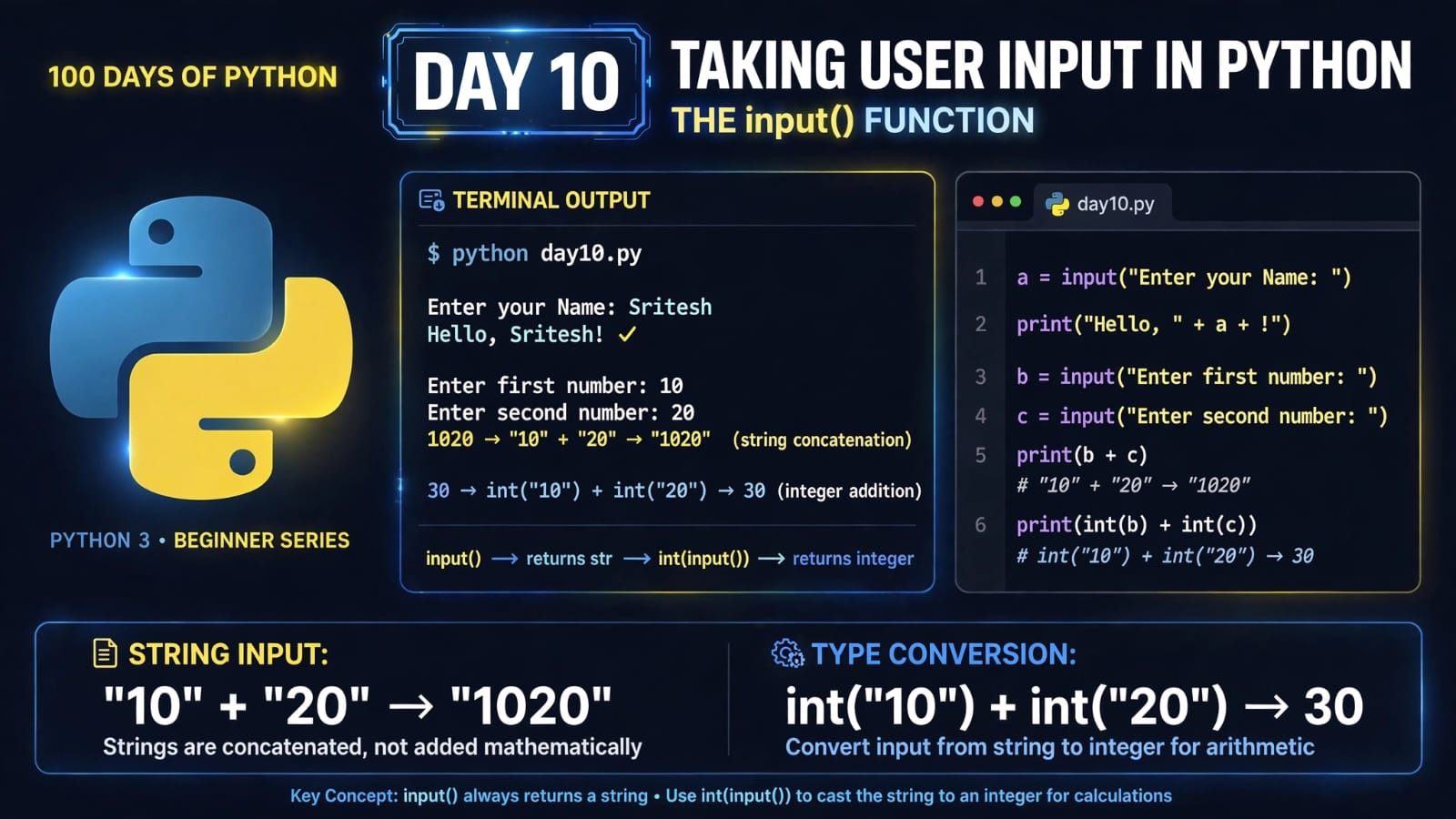
name = input("Enter your Name: ")
print("Hello, " + name + "!")

first_number = input("Enter first number: ")
second_number = input("Enter second number: ")

print(first_number + second_number)
print(int(first_number) + int(second_number))
Example:
Enter your Name: Sritesh
Hello, Sritesh!
Enter first number: 10
Enter second number: 20
1020
30
The first result:
1020
is string concatenation.
The second result:
30
is numerical addition after type conversion.
This example connects directly with what we learned on Day 9 – Type Casting in Python.
12. input() with Different Data Types
Here are some common patterns:
String
name = input("Enter your name: ")
Integer
age = int(input("Enter your age: "))
Float
price = float(input("Enter the price: "))
Remember:
input()
itself always produces a string.
The conversion happens because we explicitly use:
int()
or:
float()
13. Complete Program
Here is the complete program for today's lesson:
a = input("Enter your Name: ")
print("Hello, " + a + "!")

b = input("Enter first number: ")
c = input("Enter second number: ")

print(b + c)
print(int(b) + int(c))
Example output:
Enter your Name: Sritesh
Hello, Sritesh!
Enter first number: 10
Enter second number: 20
1020
30
14. Important Things to Remember
input() always returns a string
value = input()
print(type(value))
Output:
<class 'str'>
Use int() for integers
age = int(input())
Use float() for decimal numbers
price = float(input())
Use a prompt to guide the user
name = input("Enter your name: ")
Don't forget type conversion for calculations
a = int(input())
b = int(input())

print(a + b)
15. Quick Revision
                User Input
                    │
                    ▼
                 input()
                    │
                    ▼
              Always returns
                 a string
                    │
          ┌─────────┴─────────┐
          ▼                   ▼
       int()                float()
          │                   │
          ▼                   ▼
       Integer              Float
Remember These:
name = input("Enter your name: ")

age = int(input("Enter your age: "))

price = float(input("Enter the price: "))
And remember the classic beginner example:
"10" + "20"           # "1020"

int("10") + int("20") # 30
16. Key Takeaways
After completing Day 10, you should understand:
What user input is
How to use Python's
input()functionHow to store user input in variables
Why
input()always returns a stringHow to take integer input using
int()How to take decimal input using
float()How to display a prompt to the user
Why
"10" + "20"produces"1020"How type casting allows us to perform numerical calculations
How to create a simple interactive Python program
The input() function is an important step because our programs are no longer limited to values written directly in the source code. We can now make programs that interact with users and respond to the data they provide.
📂 Day 10 Resources
All notes and code for this day are available in the GitHub repository:
https://github.com/SriteshSuranjan/100-Days-of-Python/tree/main/10-Day10-Taking-User-Input